¶ Fix dross, blowouts, and incomplete cuts
Stop asking “what’s the setting?” Ask “what changed?” One coupon, one change, keep the ugly bits. If you spin three knobs at once you will get a miracle and never be able to repeat it.
Warning: Do not chase quality with power first
Stop for a cracked/contaminated optic, damaged ceramic/nozzle, unstable head height, leaking/incorrect gas hardware, abnormal back-reflection, cooling alarm, or fire. Increasing output can convert a setup fault into head/source damage.
¶ The five-minute baseline
- Verify material identity and actual thickness with a measuring tool.
- Confirm fiber source, correct layer/process, gas selection, nozzle, and lens/head configuration.
- Inspect the accessible protective window, ceramic, and nozzle; look for spatter, haze, cracks, oval opening, or poor seating.
- Confirm chiller and extraction are normal and gas reaches the machine without a closed valve, empty cylinder, frozen/restricted regulator, leak, or crushed hose.
- Recalibrate the FTC head on clean flat material and run a no-emission frame.
- Return to a preserved known-good process rather than the most recently edited one.
¶ Symptom map
¶ It never pierces or does not go through
First compare material/thickness and correct process row. Then inspect optics/nozzle, verify actual gas delivery, height/focus reference, and whether commanded source output is enabled. Test on a small fresh coupon. If the source reports an alarm or output behavior changed suddenly, preserve logs and stop tuning.
On carbon steel 3 mm and up, Gweike’s published gantry tables switch as a set to oxygen, a double-layer nozzle, and a large positive focus. Incomplete penetration there is often a leftover nitrogen/thin-sheet row, or oxygen pressure high enough to starve the reaction — they warn against treating thick plate like a nitrogen cut. Do not disable back-reflection protection if aluminum alarms; stop and inspect standoff/focus instead (same Gweike article).
¶ It cuts in some areas but not others
Check sheet flatness, slat/support variation, head calibration/following, nozzle centering, local rust/coating, and gas stability. A failure that follows the sheet position suggests surface/support/height; one that follows travel direction can suggest alignment/nozzle/gas-flow behavior.
¶ Heavy dross underneath
Dross can result from speed, focus/stand-off, gas type/flow, nozzle condition/centering, or an incomplete energy balance. Start with physical condition and the known-good baseline. Change only one of speed, focus, or process energy at a time and label both faces of each coupon.
Gweike’s published CNC parameter article (800 W / 1200 W, gantry cutting only) lists stainless-steel underside dross under nitrogen as: speed too low, or nitrogen at the cutting head below their 12 bar reference. Their suggested check is a modest speed increase and a head-pressure measurement — not a power bump. Treat those figures as factory starting points and confirm on your coupon: Gweike M-Series cutting parameters.
¶ Blowout or a large ugly pierce
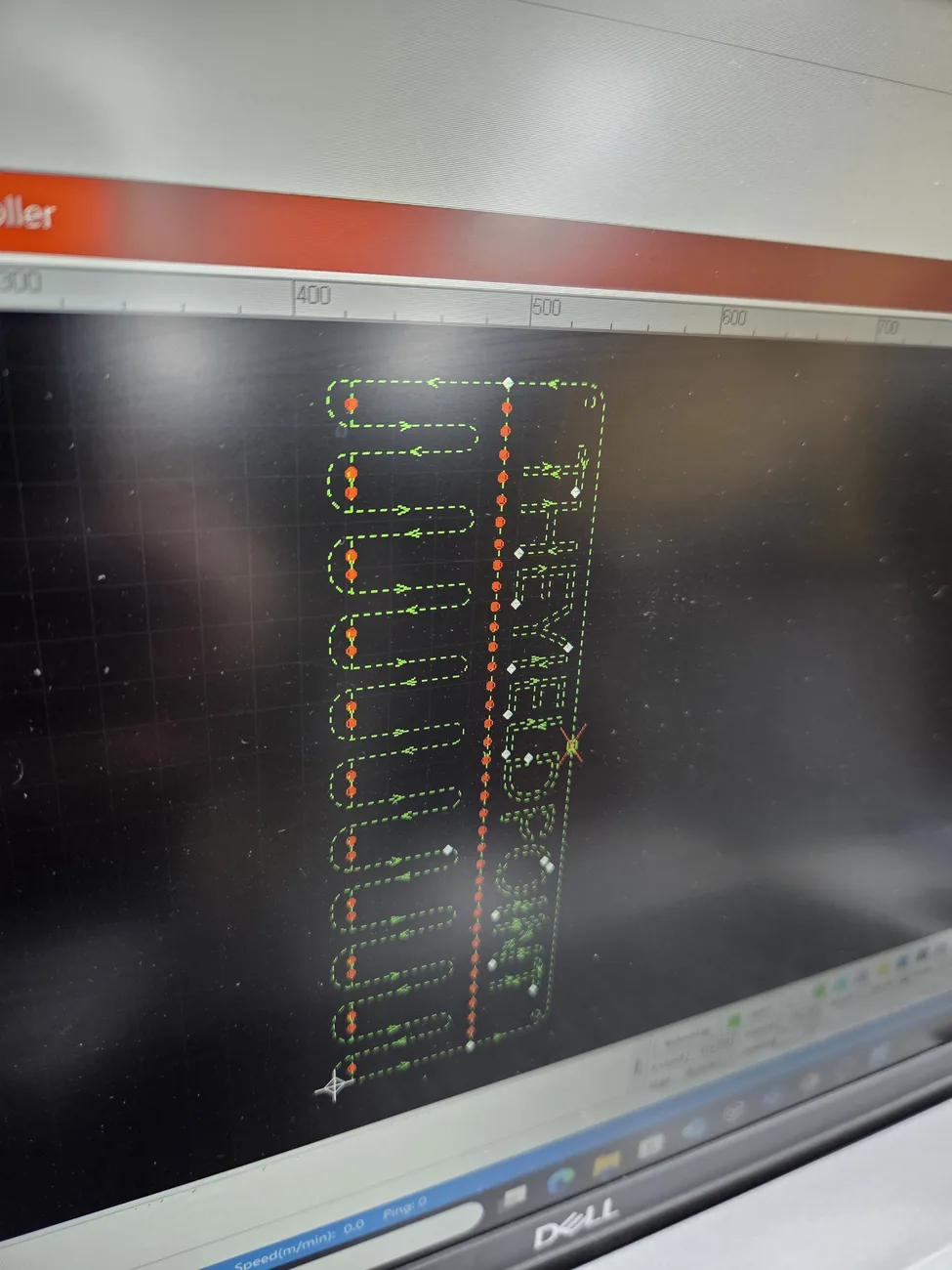
Separate the pierce from the rest of the cut. Check the pierce method, delay/staging, focus, nozzle stand-off, gas, and lead-in. Cooling points helped with the blowouts in my 8 mm carbon-steel cooling-point test. That worked on my job; test it on scrap before using it on yours.
¶ Taper or one-sided edge quality
Inspect nozzle roundness/centering and ceramic seating, confirm the head is square, and compare cut direction/orientation. Replace a questionable nozzle before software compensation. If the same side is still bad, get the alignment checked rather than tuning around it.
¶ Quality worsens during a long job
Look for heat/warping, debris on the protective window/nozzle, pressure/flow decay, regulator icing, extraction loss, chiller temperature drift, or released parts changing support. Do not leave the machine to “see if it recovers.”
¶ A controlled coupon method
Use the same small geometry, material location, origin, nozzle, gas, and calibration. Name samples A, B, C. Record every relevant setting and change only one variable. Measure cut-through, kerf, size, top/bottom edge, dross, pierce mark, and cycle time.
If a process that worked suddenly fails on the same known material, check what changed on the machine and read the alarms before retuning it. For wrong dimensions, use X/Y scale and kerf.
¶ Official Gweike walkthroughs
These are Gweike's own walkthroughs. Keep the checks above, pick the clip for your material condition, then prove the result on your machine.
18. Remove slag during piercing
Factory clip on clearing pierce slag before the contour runs. That is a pierce/lead problem, not a reason to raise power.
20. Cut sheet with film attached
Film-on sheet: the factory clip cuts with film. Confirm the row is meant for filmed stock; film can hide a missed pierce and catch fire.
21. Cut powder-coated material
Powder-coat: coating changes absorption and fume. Use a row for coated stock or strip a test patch; do not treat it as bare mill steel.
Open the complete official playlist.
Measured at The Yield Point
¶ Field test: cooling points on 8 mm carbon steel
On my M3 Ultra, cooling points reduced heat buildup around tight geometry and helped stop the blowouts. The setup and result are below. Try it on scrap before treating it as the answer for your material.