¶ Install the laser source and CNC head
The fiber is the expensive, fragile, dangerous bit. Plan where the source sits and how the cable runs before you lift anything or pull a cap.
Danger: A damaged fiber can be dangerous and expensive
Keep the source isolated from electrical power. Never pull, twist, step on, clamp, sharply bend, or lift by the armored fiber. The manual specifies a bend radius greater than 200 mm; treat that as a minimum and keep bends broader where possible. Stop for crushed armor, kinks, impact damage, or a contaminated optical end.
¶ Prepare a clean installation
- Confirm source identity, power, cooling connections, head/interface type, and cable lengths against the delivered configuration.
- Clean the work area and keep fans/extraction from blowing dust across an open optical connector.
- Have caps, clean optical consumables, appropriate gloves, and a protected place for removed parts ready.
- Plan a cable route with broad curves, strain relief, no moving pinch point, and no contact with sharp/hot surfaces.
- Use enough people or rated lifting equipment for the source; do not use its connectors or fiber as handles.
¶ Mount and route
- Place and secure the source in its intended compartment or frame position.
- Route the armored fiber loosely toward the head before fastening anything. Avoid loops that tighten as the gantry moves.
- Move the gantry/head manually only when the approved procedure allows it and all energy is isolated; confirm the route throughout full intended travel.
- Connect labeled cooling, electrical, and control interfaces only to their matching ports. Do not force a key, thread, or connector.
- Leave optical dust caps fitted until the head is mounted, the route is final, and the connection can be completed immediately.
¶ Connect the optical interface
Follow the interface-specific Gweike/source instructions. Work in a clean, still environment. Inspect the protective cap and accessible surfaces without touching the optic. Remove caps immediately before mating; hold them so their clean faces stay protected. Align keys and threads gently, fully seat the connector as specified, and refit external protection/strain relief.
If dust, a fingerprint, a damaged seal, or an abnormal mark is visible, stop. Cleaning or inspecting high-power delivery optics requires the correct equipment and competence; “wipe it and try” can destroy the connector and head.
¶ Install the CNC head/nozzle assembly
Mount the head squarely and secure the brackets in the documented order. Fit only clean, undamaged protective windows, lens components, ceramic, and nozzle appropriate to the process. Centering and focus depend on the exact head; do not copy an arbitrary gauge dimension from another model.
¶ Pre-power verification
- Fiber path remains above the 200 mm manual minimum radius and is not under tension.
- Full axis travel cannot pinch, snag, tighten, or rub the fiber/cables/hoses.
- Cooling supply/return and all control connections match their labels.
- Optical connection is fully seated and protected.
- Head, ceramic, nozzle, and protective window are clean and undamaged.
- All panels/interlocks are restored.
Only then proceed to utilities and first power. If a source alarm appears, preserve it and use the source-alarm guide.
¶ Official Gweike video
These are Gweike's own walkthroughs. Keep the checks above, watch the sequence, then prove the result on your machine.
¶ Official Gweike walkthrough
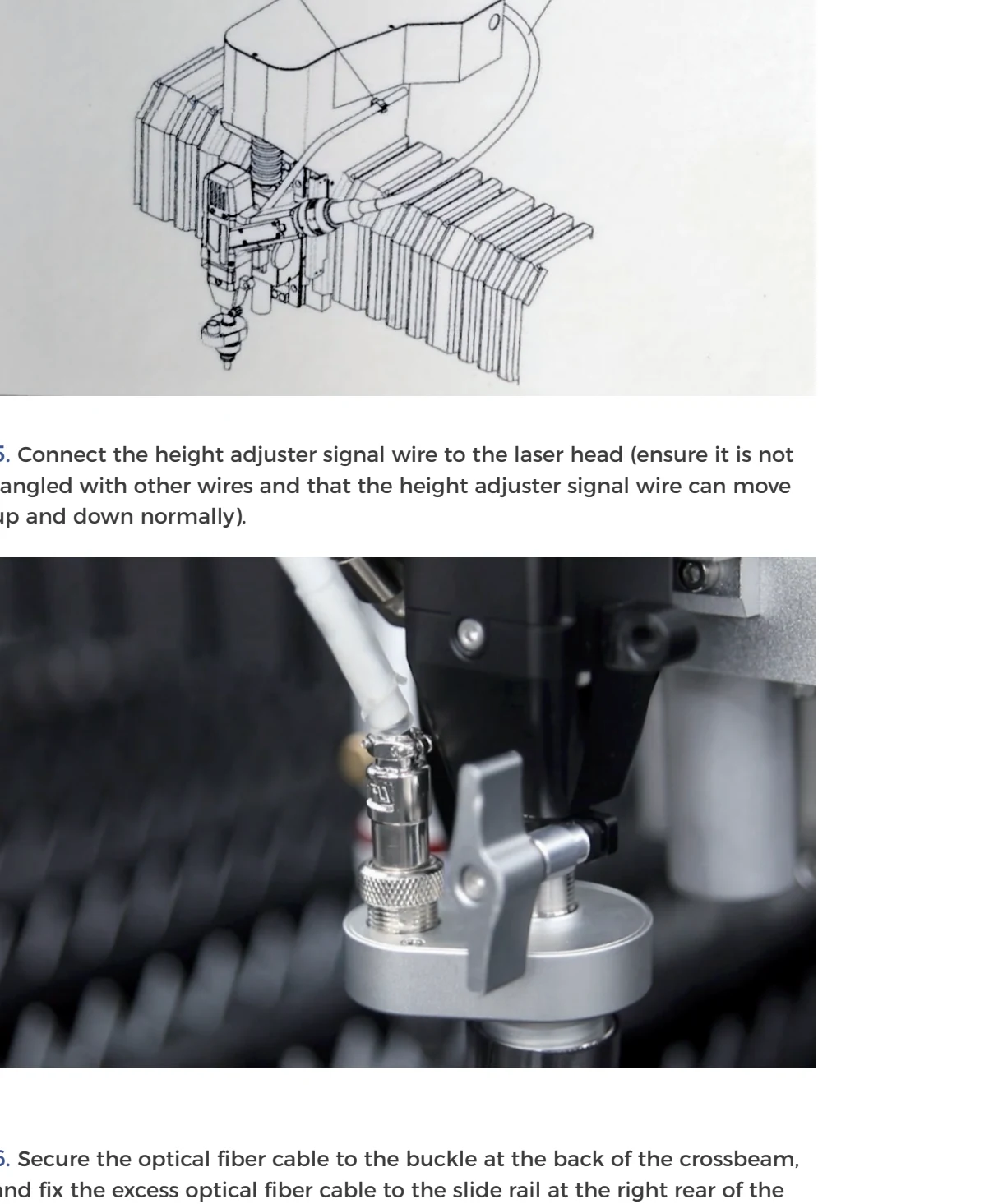
CNC fiber head onto the gantry: park the beam forward, keep the armored fiber larger than the factory minimum bend, land the height-controller signal so it can travel with Z, clip the fiber on the rear rail, and traverse the full envelope with emission off before closing covers.