¶ Frame a job without a camera
Frame with the laser off. It is the last cheap chance to catch a unit, origin, orientation, or clamp mistake before you cut the sheet.
¶ Understand the three coordinate ideas
- Machine coordinates are established by the machine's homing/reference procedure.
- User/work origin is a repeatable point you deliberately set for a fixture or sheet.
- Current-position origin makes the present head position the job reference for that run.
mLaser names vary by version. Before you jog, read the coordinates on screen and know which origin the job will use.
¶ Placement workflow
- Home/reference the machine using the supported procedure when required.
- Import the file and verify its displayed dimensions against a known dimension.
- Confirm orientation: which drawing edge maps to machine X and Y.
- Choose the origin mode intentionally and select the matching anchor/corner in the job.
- Position the sheet and clamps so the whole bounding box has support and clearance.
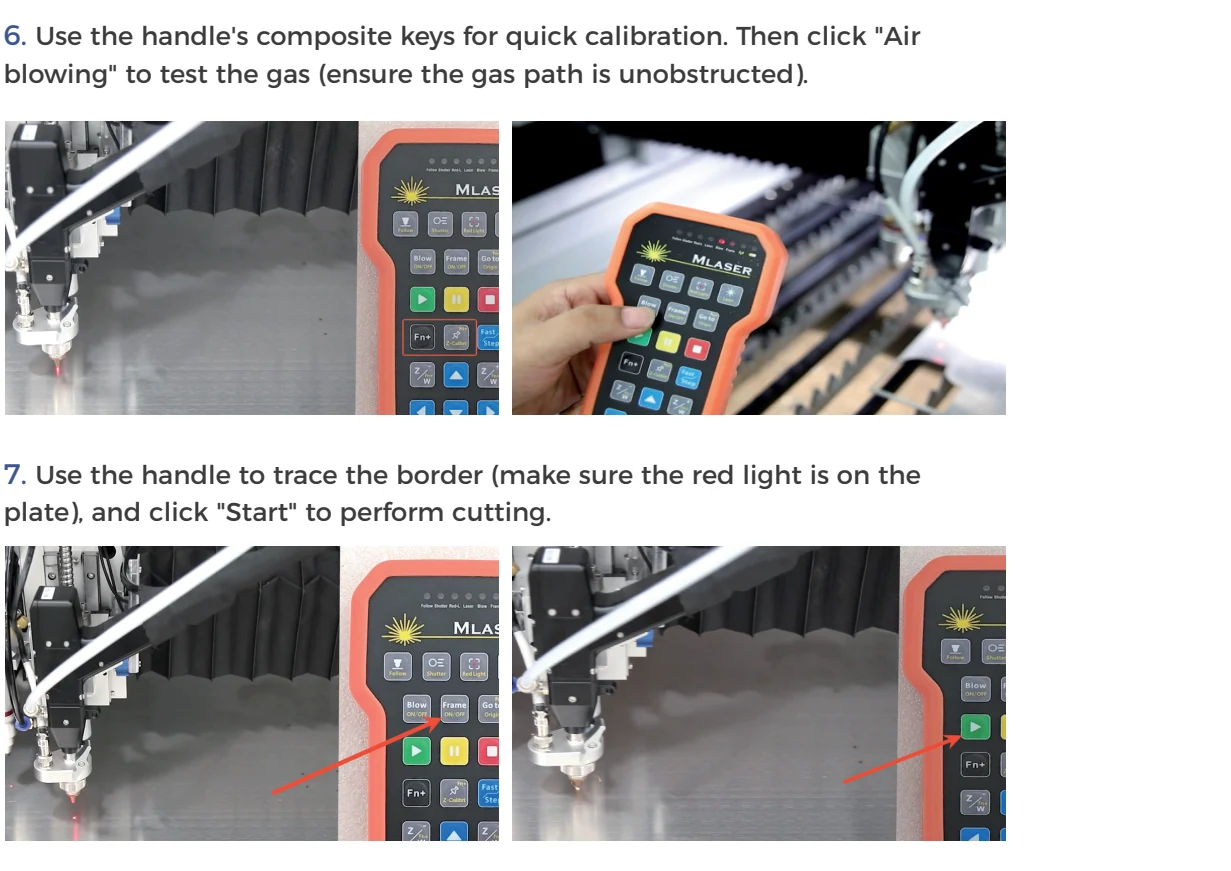
- Disable laser output and run mLaser's frame/boundary function.
- Watch all four limits and every travel segment, not just the starting corner.
- If the frame is wrong, stop and correct origin/scale/orientation; do not drag the sheet under a low head while axes are enabled.
¶ A reliable fixture method
For repeat jobs, establish a physical stop outside the cut path, set a documented user origin, and save a small reference file that frames the fixture envelope. Photograph the coordinate/origin settings. Re-run the no-emission frame after any homing issue, software/configuration change, or fixture movement.
¶ Common mistakes
| Symptom | Likely layer to check first |
|---|---|
| Frame is 25.4× too large or small | Inch/mm export or import units |
| Correct size, wrong location | Origin mode or anchor corner |
| Mirrored/rotated | Axis mapping, export orientation, or rotary configuration left active |
| Starts correctly, crosses clamp later | Bounding box/path simulation was not fully checked |
| Size differs in X and Y | Axis calibration or mechanical issue; see scale and kerf |
Never use a low-power visible mark as a substitute for a no-emission frame unless that marking procedure is explicitly controlled for the fitted source, enclosure, material, and PPE.
¶ Official Gweike walkthroughs
These are Gweike's own walkthroughs. Keep the checks above, watch the clip, then prove the frame on your machine.
19. Auto edge detection
Auto edge detection finds a sheet edge in software. Still run a red-light frame and keep clamps out of the path.
41. Introduction to the coordinate system
Coordinate system in mLaser: origin, work offset, and which corner you just set. A wrong origin is a wrong part, not a bad process row.
For camera-assisted positioning, use the separate visual alignment accessory guide. Open the complete official playlist.