¶ Unpack and position the machine
Photograph the crate before you throw the foam in the skip. Once the wrapping is gone, Gweike will tell you it shipped fine.
Danger: Heavy-load hazard
Use the marked lifting points and equipment rated for the verified packed weight. Keep everyone out of the suspended-load and pinch zones. If the lifting method or center of gravity is unclear, stop and obtain the correct rigging information from Gweike.
¶ 1. Document the shipment
Photograph the unopened crates, labels, seals, and every damaged or wet area. Compare the package count to the paperwork. Open the crates without driving blades or screws toward hoses, optics, cables, or the machine finish.
¶ 2. Inventory loose components
Before moving parts around the workshop, group and label the laser source, chiller, CNC/handheld heads, fiber cable, wire feeder, pendant/receiver, rotary parts, hoses, regulators/fittings, cables, fasteners, tools, media, and documents. Your exact configuration may not contain every accessory.
Do not remove protective caps from optical connections until the relevant installation step. Caps keep dust out; an apparently harmless fingerprint can damage an optical surface under laser power.
¶ 3. Inspect before energizing
Look for:
- crushed frame sections, bent panels, broken windows, or shifted assemblies;
- coolant or oil leakage;
- loose electrical connectors and damaged insulation;
- cracked gas hoses or fittings;
- impacts, tight coils, flattened armor, or sharp bends in the source fiber;
- damage to the CNC head, handheld head, lens holder, nozzle, or protective caps;
- loose hardware in the motion area.
Photograph anything questionable and ask Gweike before applying power. Energizing a shipping-damaged source or chiller can turn a recoverable claim into a larger failure.
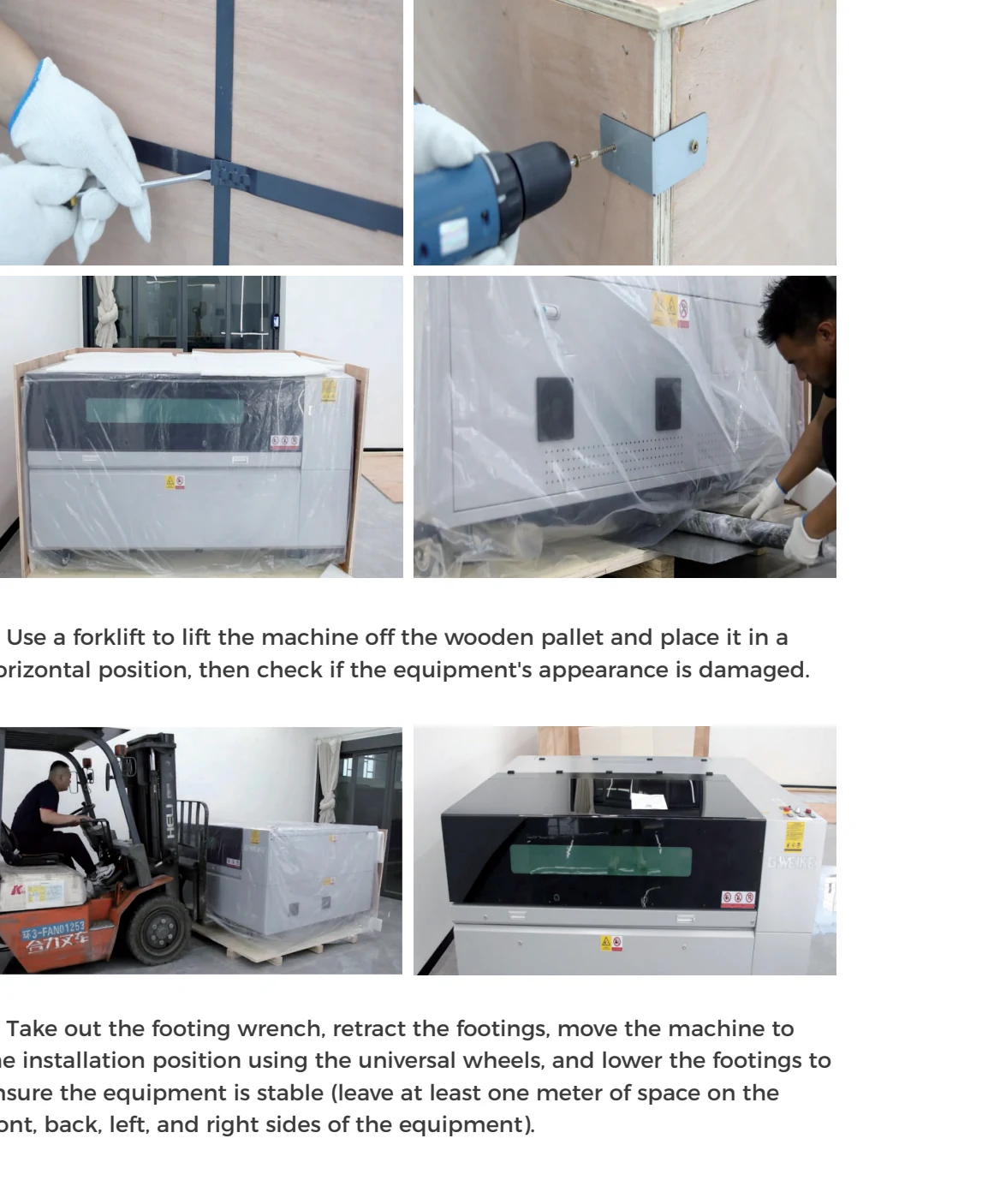
¶ 4. Move to the final location
Clear and measure the route first. Move slowly, with a spotter who can see clearances but stays out of pinch points. Do not pull the machine by a door, gantry, hose, head, or cable. Protect the source fiber from wheels, corners, and people stepping on it.
¶ 5. Level and stabilize
Place the machine at its final service position. Follow the supplied leveling-foot sequence, then check that the frame is supported without rocking. Recheck access to electrical panels, filter/exhaust service points, the chiller, gas isolation, emergency stops, and doors. Leveling is about stable support; do not twist the frame to force a particular cosmetic gap.
¶ 6. Clear shipping restraints
Remove only the transport brackets, ties, foam, and locks identified for the machine. Keep them labeled for a future move. Before enabling an axis, sweep the full travel visually for fasteners, packing, tools, and cables.
¶ Verification
The machine should be stable, undamaged, serviceable from its installed position, and free of shipping materials in the motion envelope. Accessories and serial numbers should be recorded. No optical cap needs to be removed yet.
Next: install the laser source and CNC head, then connect utilities.
¶ Official Gweike video
These are Gweike's own walkthroughs. Keep the checks above, watch the sequence, then prove the result on your machine.
- 1. Unboxing & Installation
- Full playlist: Gweike M-Series official videos
¶ Official Gweike walkthrough
Unboxing and placement: forklift the crate, strip steel strap, inventory accessories, set footings with clearance, fit slats and handle, connect extraction, fill the chiller with clean water to the marked band, and load the scrap cart with non-combustible material before any power.