¶ Convert from CNC head to handheld mode
Changing to handheld is not just taking the head off the gantry. Work through the checklist and verify the finished setup. The head in your hand and the mode the controller is ready to fire must match.
¶ Prepare
- Finish or cancel the CNC job and park the axes in the documented safe position.
- Disable laser output in software and at the source/key controls.
- Isolate the energies required by the supplied procedure. Apply workplace lockout/tagout where servicing exposes hazardous energy.
- Verify the source is disabled and observe the specified wait time before disconnecting source/head interfaces.
- Clean the work surface and stop dust-producing work nearby.
- Lay out labeled caps, the handheld head, cables, gas connection, ground/work clamp, and—if welding—the wire feeder.
¶ Remove the CNC-head configuration
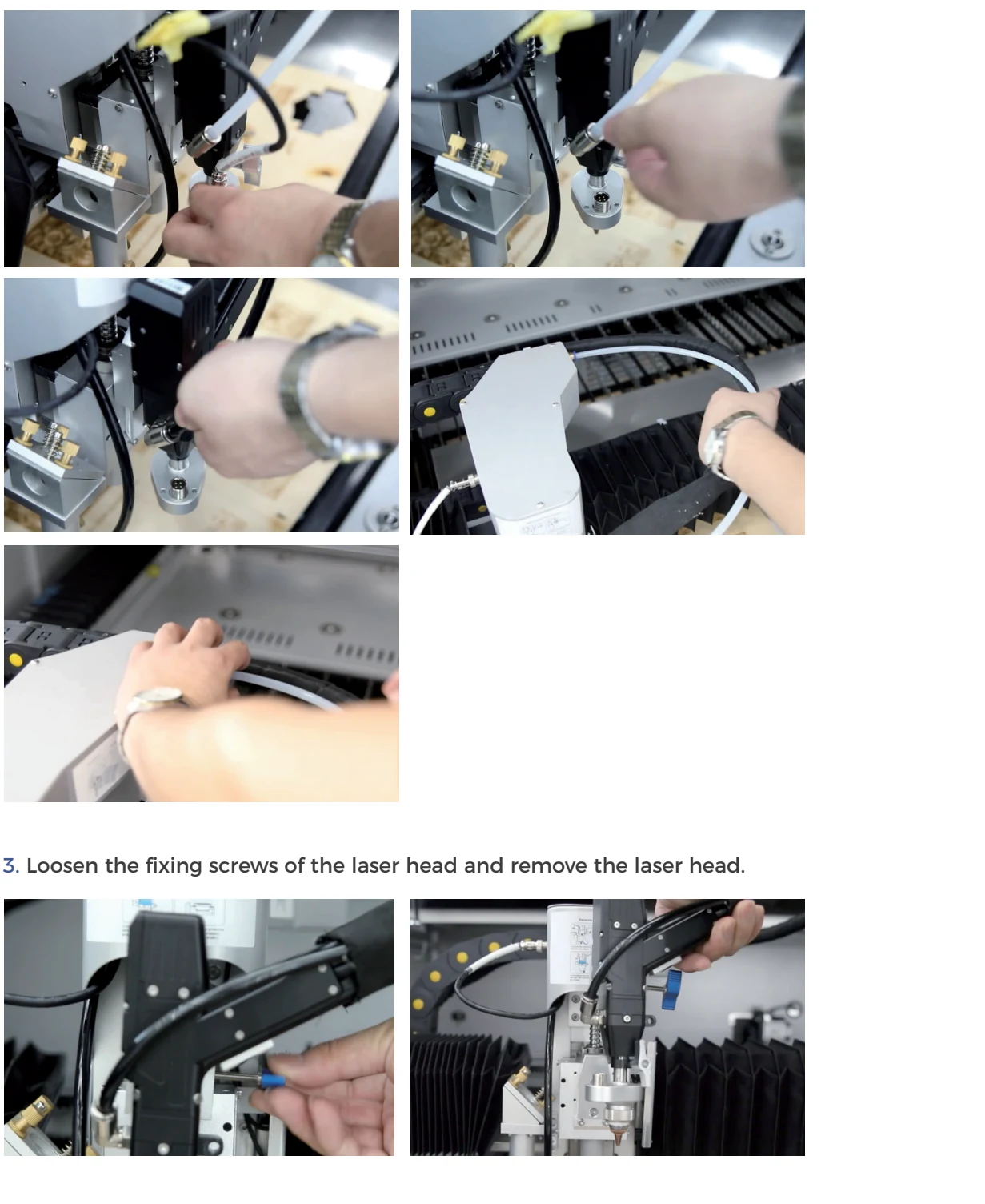
Support components before loosening them. Disconnect only the interfaces identified in the Gweike sequence; never pull on a cable or fiber. Cap every exposed optical interface immediately. Store the CNC head in a clean protected holder so the nozzle, ceramic, protective window, and connectors cannot be struck.
Maintain broad bends in the armored source fiber. Do not make the cable fit by tightening a loop or routing it through a door/pinch point.
¶ Install the handheld configuration
- Inspect caps/connectors and accessible protective optics without touching their surfaces.
- Mate the optical interface using the exact keyed procedure; stop for dirt, damage, resistance, or a misaligned thread.
- Connect the control/trigger, safety, ground/work-clamp, and gas interfaces to their documented ports.
- Route the hose/cable bundle so it cannot snag, form a trip loop, touch hot metal, or enter another machine.
- Fit the correct clean nozzle/tip and consumables for welding, cutting, or cleaning.
- Select the matching handheld mode and head configuration in mLaser/control software; load a preserved verified baseline.
¶ Safety-function check before output
With the source output disabled, verify trigger return, safety/contact logic, emergency stop, door/access controls used by the handheld setup, gas control, wire-feed control where fitted, and software state. Any control that sticks, disconnects intermittently, or permits an unexpected ready state is a stop condition.
¶ Restore CNC mode later
Use the same isolation and cleanliness standard in reverse. Do not assume parameters restored automatically. Confirm CNC head, gas, FTC connection/calibration, source selection, and the original saved axis/process configuration before a no-emission frame and test coupon.
¶ Official Gweike video
This is Gweike's own walkthrough. Keep the checks above, watch the sequence, then prove the result on your machine.
- 11. Laser Head Removal and Handheld Cleaning
- 29. Shield the FTC Height Controller
- Full playlist: Gweike M-Series official videos
¶ Official Gweike walkthrough
Head off the gantry: purge gas, power down, unplug Ethernet, move the height-amp lead and air hoses aside, free the fiber from the rail, and only then take the head out. Reverse is required before the next CNC cut.