¶ Use flight cutting
Flight cutting saves stop-start time on repeated features. It will not fix the pierce, focus, gas, calibration, or a bad ordinary cut. Get the normal cut right first; otherwise you are just making bad parts faster.
¶ Use it only when the baseline works
First produce a repeatable conventional cut in the same material, thickness, gas, nozzle, and process. Confirm size and edge quality. If ordinary features do not cut consistently, solve that before enabling a faster motion strategy.
¶ Suitable jobs
Flight cutting is most useful for arrays of small, regular features where the software can coordinate a continuous efficient route. Irregular contours, mixed feature sizes, warped stock, weakly supported remnants, or geometry near clamps/table edges deserve conventional processing until proven safe.
¶ Setup sequence
- Save a copy of the known-good ordinary job and process.
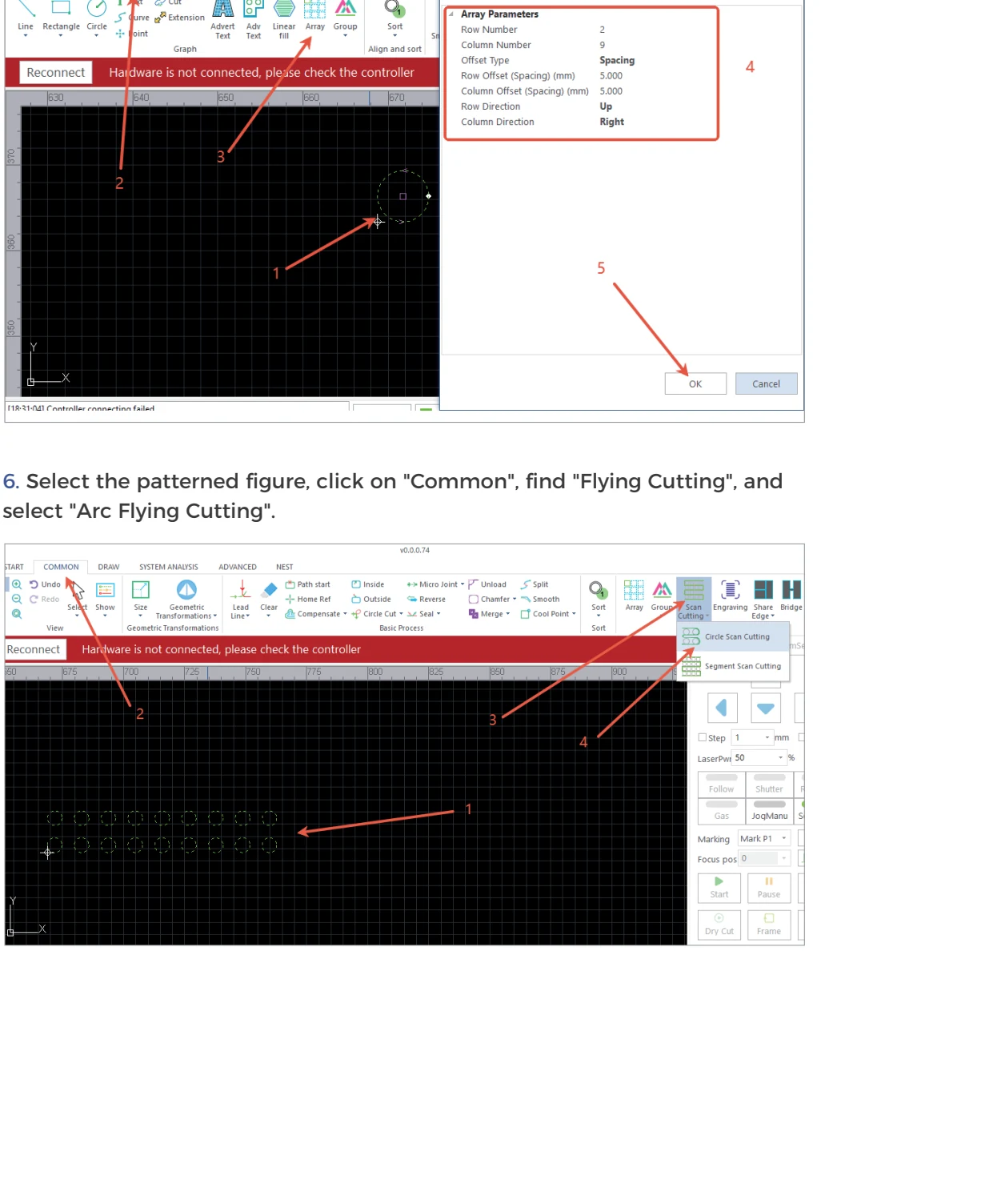
- Verify drawing units, remove duplicates, and organize the repeated features.
- Confirm head calibration, sheet flatness, nozzle/optic condition, gas delivery, and extraction.
- Enable the documented flight-cutting function for supported geometry only.
- Review any lead, pierce, transition, speed, and path options against the software/manual version supplied for the machine.
- Simulate the entire job. Look for long unexpected diagonals, skipped features, crosses through released parts, or a route near clamps.
- Frame with emission disabled.
- Test a small array at a conservative area of the sheet while supervising it.
¶ Compare, do not assume
Put the flight-cut coupon beside the ordinary one. Check every feature: full separation, entrance/exit mark, taper, heat buildup, diameter/width, and position. Only compare cycle time after the parts pass those checks.
¶ Stop or revert when
- the head crosses or strikes a released part;
- incomplete features appear intermittently across an array;
- heat/dross accumulates progressively along the route;
- motion differs from the simulation;
- an FTC, following, servo, gas, or source alarm occurs.
Revert to the saved conventional file/process and diagnose the underlying layer. Do not hide intermittent failures by increasing power across the whole route.
¶ Official Gweike video
This is Gweike's own walkthrough. Keep the checks above, watch the sequence, then prove the result on your machine.
¶ Official Gweike walkthrough
Same factory clip as calibration: flying cut is an array toolpath, not a quality band-aid.